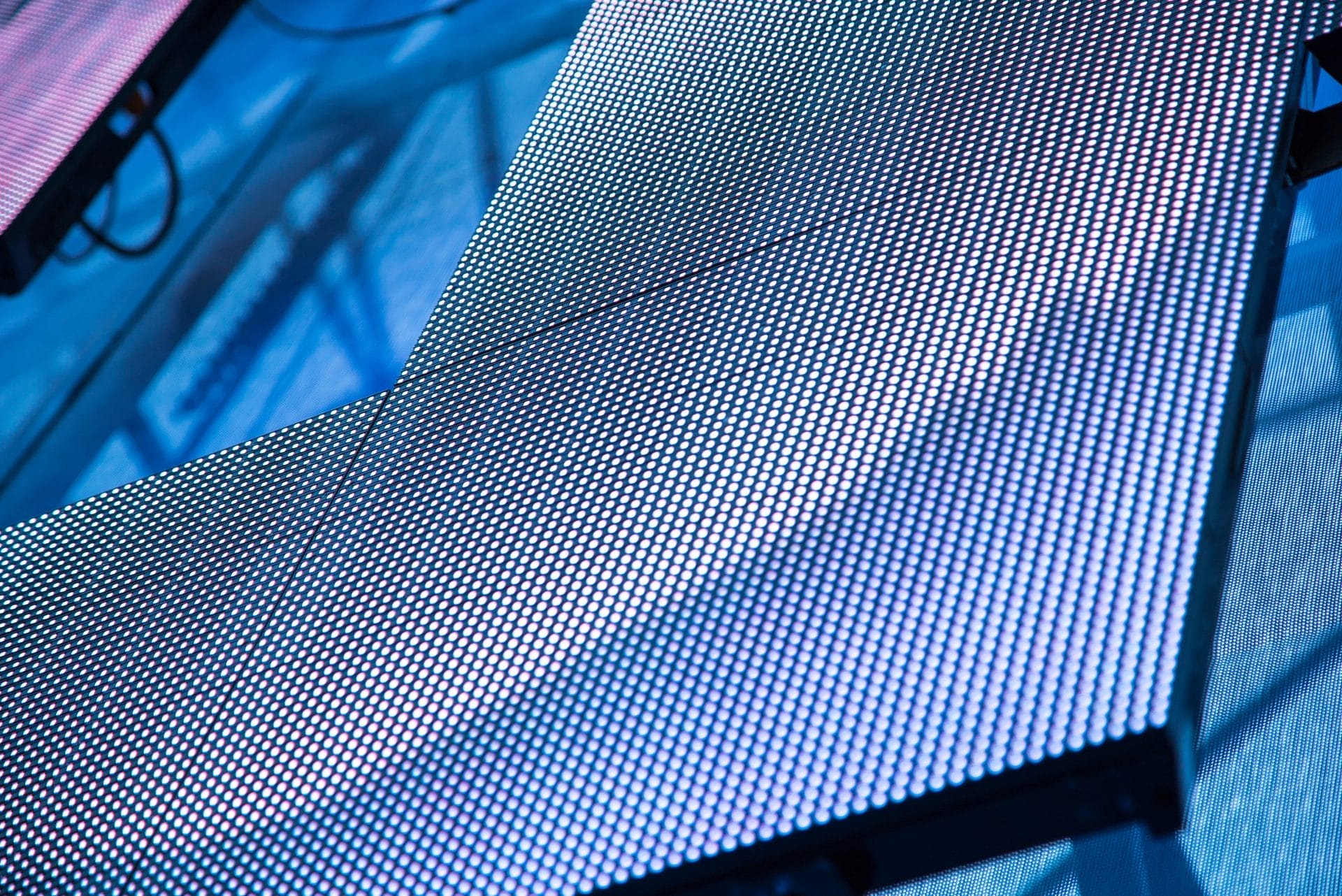
Pixel pitch is the distance, measured in millimeters, between the center of one LED pixel and the center of the next. The smaller the number, the closer together the pixels — and the sharper the image.
That one measurement influences two of the most important decisions in any LED display purchase: how clear your image will be, and how close your audience can stand to the screen before the image starts to look fuzzy.
This guide explains how pixel pitch works, how to calculate the right one for your space, and which Firefly LED displays match common viewing distances and applications.
What is Pixel Pitch?
Pixel pitch is measured center-to-center between two adjacent LED clusters on a display panel. It’s often written with a “P” prefix followed by the measurement in millimeters — so a P2.5 display has 2.5mm between each pixel center.
The lower the number, the higher the pixel density, and the sharper the image at close range.
How Pixel Pitch Affects Image Quality
Pixel pitch determines pixel density — the number of LED clusters packed into a given area. A tighter pitch means more pixels per square foot, higher resolution, and sharper detail at close range.
A larger pitch spreads pixels further apart. That reduces resolution, but for displays viewed from a distance — outdoor scoreboards, large venue screens, highway signage — it’s rarely a problem. Your audience’s eyes blend the pixels into a continuous image long before they notice the gaps.
Pixel pitch also affects cost. Finer pitches require more LED clusters per panel, which drives up both materials and manufacturing. Choosing the right pitch for your viewing distance — not the smallest pitch available — is how you get the best image quality without overspending.
Pixel Pitch by Application
Different environments have very different requirements. Here’s what works for the most common LED display use cases.
Houses of Worship
Most sanctuaries fall somewhere between a conference room and a mid-size auditorium. A pixel pitch between P1.5 and P2.5 covers the majority of church installations, where viewers typically sit 15 to 40 feet from the display. Smaller sanctuaries with tighter seating can go as fine as P1.2 for sharp text legibility during sermons and lyrics.
Corporate Lobbies and Boardrooms
Viewers sit 10 to 25 feet from the display and often read text, watch presentations, and view video calls. Pixel pitches between P1.2 and P2.5 are standard. At P1.5, you get a clear image from as close as 15 feet with crisp text legibility.
Events and Live Entertainment
Stage backdrops and event screens are typically viewed from 30 feet or more. A P2.6 to P3.9 display delivers strong visual impact at that distance while keeping the display portable and cost-effective for rental and touring setups.
Outdoor Advertising and Scoreboards
Outdoor displays are viewed from a distance and need to handle sunlight and weather. Pixel pitches from P6.67 to P10 work well for scoreboards and large venue screens. For outdoor installs where viewers are closer — restaurants, storefronts, building facades — a finer outdoor pitch like P1.2 to P2.5 is the right call.
Higher Education
Universities use LED displays across a wide range of environments — auditoriums, athletic facilities, student centers. Match the pixel pitch to the specific space using the 10x Rule, with P1.5 to P2.5 covering most indoor campus applications.
How to Calculate the Right Pixel Pitch for Your Space
The simplest way to find your ideal pixel pitch is the 10x Rule:
Pixel Pitch (mm) × 10 = Minimum Viewing Distance (feet)
So a P2.5 display has a minimum comfortable viewing distance of 25 feet. A P1.5 display can be viewed from as close as 15 feet without visible pixelation.
This gives you a practical starting point. If you know how far your audience sits from the screen, divide that distance in feet by 10 to get your maximum recommended pixel pitch.
Example: Boardroom screen, viewers seated 20 feet away. 20 ÷ 10 = 2.0 mm or lower.
Getting the pixel pitch wrong in either direction is a common and costly mistake. Go too fine and you’re paying for resolution your audience will never notice — a P0.9 display in a space where viewers sit 40 feet back delivers no visual advantage over a P2.5. Go too coarse and the image starts to break up at your actual viewing distance, which defeats the purpose of the display entirely. The 10x Rule keeps you in the right range. Use it as your starting point, then factor in your content type — text-heavy applications like sermon lyrics or data dashboards benefit from a finer pitch than video-only displays at the same viewing distance.
Use the chart below to match your viewing distance to the right pixel pitch and Firefly LED product.
| Pixel Pitch | Min. Viewing Distance | Common Applications | Firefly LED Product |
|---|---|---|---|
| P0.7–P0.9 | 7–9 ft | Broadcast, control rooms, high-end retail | A Pro Series |
| P1.2–P1.5 | 12–15 ft | Corporate lobbies, boardrooms, houses of worship | A Plus Series, A Pro Series |
| P1.8–P2.5 | 18–25 ft | Houses of worship, universities, event stages | A Plus Series, Y Series |
| P2.6–P3.9 | 26–39 ft | Touring, trade shows, rental | M Series (Indoor/Outdoor) |
| P6.67–P10 | 65–100 ft | Scoreboards, outdoor advertising, large venues | O Series |
| P1.2–P2.5 (outdoor) | 12–25 ft | Restaurants, storefronts, outdoor signage | OHD Series |
Firefly LED builds displays across the full pixel pitch range — from 0.7mm fine pitch indoor panels for broadcast and corporate environments, to 10mm outdoor displays for scoreboards and large venues. Browse the full lineup or jump into the Screen Builder to find your fit.
Does Content Resolution Affect Image Quality?
Pixel pitch sets the ceiling for your display’s resolution — but what you put on the screen matters just as much. Even a fine pitch P0.9 display will look soft if the source content is low resolution.
A few things to keep in mind:
- For video content, aim for 1080p or higher. Most modern LED controllers support up to 4K input, and higher resolution source content will look noticeably better on fine pitch displays.
- For text-heavy content — sermon lyrics, data dashboards, wayfinding signage — a finer pixel pitch makes a bigger difference than it does for full-motion video, since sharp edges and legible type require higher pixel density.
- For large displays viewed from a distance, content resolution matters less. At 50 feet, your audience won’t notice the difference between 1080p and 4K source content on a P6 outdoor panel.
The short version: match your content resolution to your display’s capabilities, and you’ll get the full benefit of whichever pixel pitch you choose.
Ready to Find Your LED Display?
If you know your pixel pitch, the Screen Builder gets you to real specs in minutes. If you’re still narrowing it down, contact us and we’ll help you match the right display to your space.